
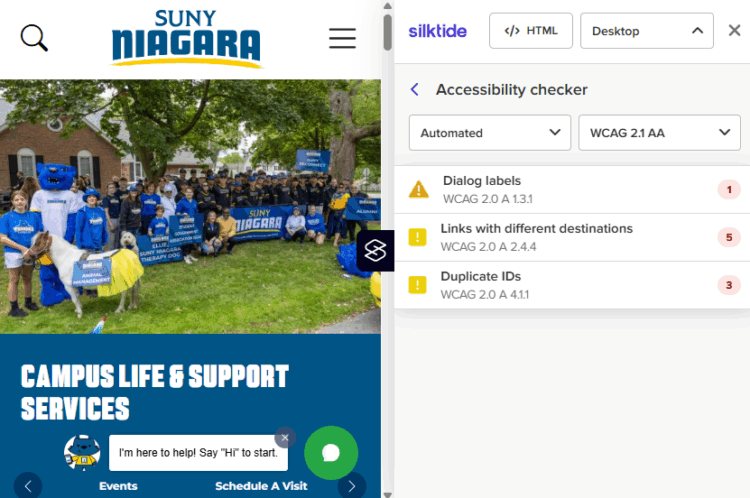
Quick Tip: Check Your Web Content for Accessibility
Before you share a website, blog post, or resources, make sure it’s accessible to everyone. Use the Silktide Accessibility Checker — a free Chrome/Edge browser extension that scans any webpage for 200+ accessibility issues like poor color contrast, missing alt text, navigation problems, and more. It also includes a screen reader simulator and step-by-step guidance to help you understand and fix issues.
Watch the How to Check Your Web Accessibility video for guidance and install the Silktide Accessibility Chrome Extension to quickly evaluate any page.
🔗 Silktide Extension: https://chromewebstore.google.com/detail/silktide-accessibility-ch/mpobacholfblmnpnfbiomjkecoojakah